- Home
- Parents
- Bromcom
- MCAS (App)
MCAS (App)
You can download the MyChildAtSchool (MCAS) app by searching on your mobile phone via your app store, or use one of the links below:
 |  |
The MCAS parent app icon will appear on your phone's home screen, see image below:
When you first open the app, your phone should ask you if you would like to 'allow notifications'.
- If chose to allow, this means that you have enabled push notifications, and will receieve all communication via the MCAS app instead of receieving Emails/SMS.
- If chose to not allow, you will receieve Emails/SMS, and will not be notified via the MCAS app.
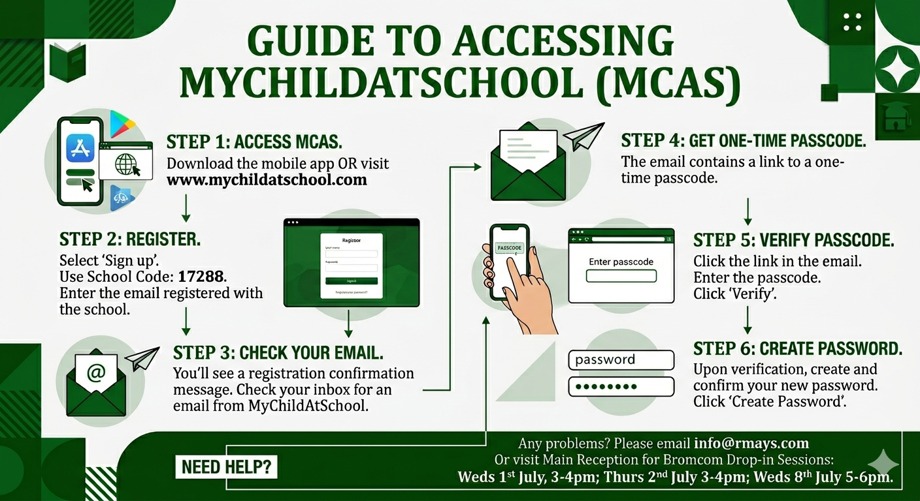
Steps for Registering your Account:
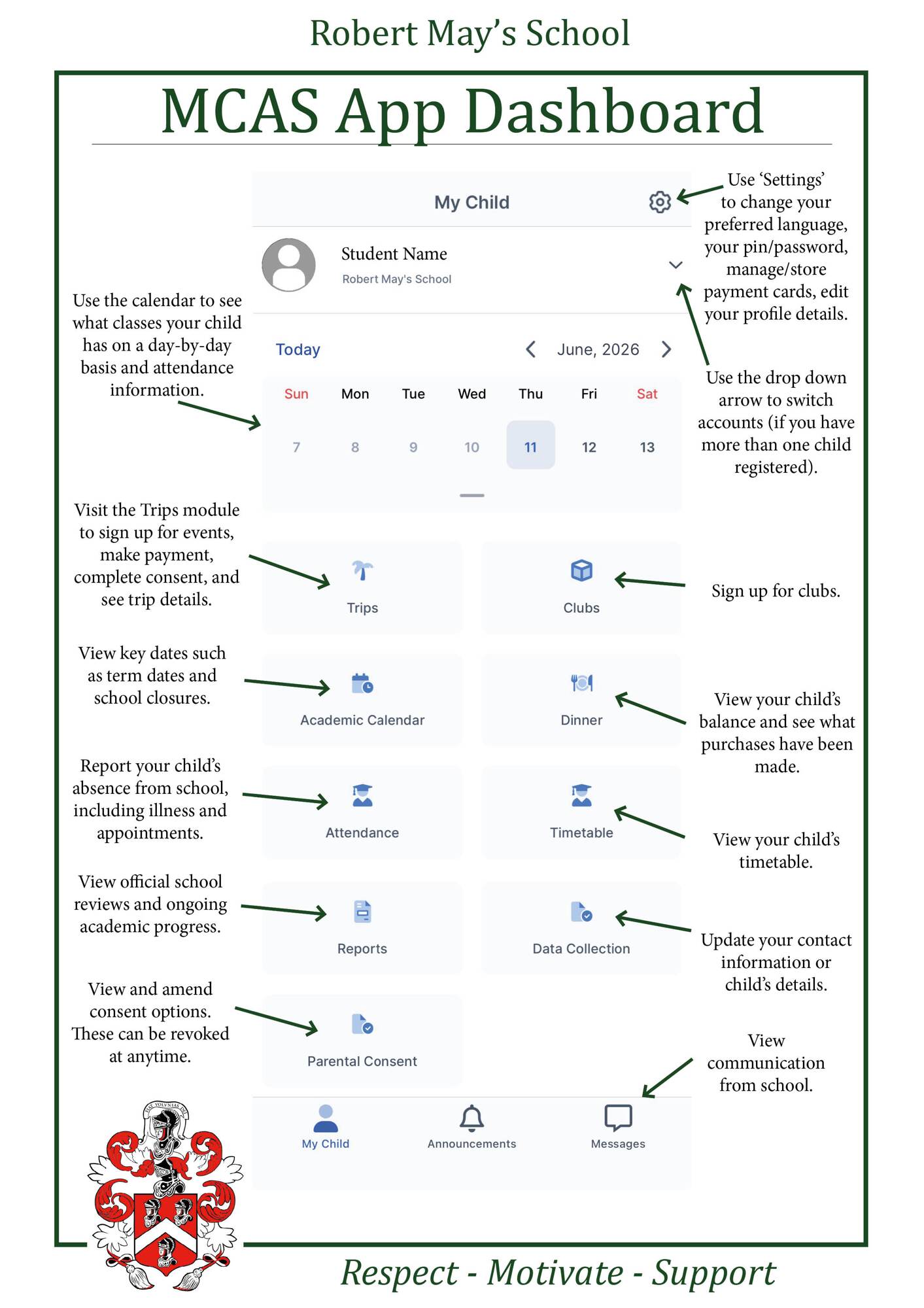
Navigating the MCAS Dashboard: